On-device privacy

Block unknown, private, and custom calls with control.

ShieldCall gives you private call blocking on Android with rule-based control that stays on your device. No cloud processing, no servers, no contact sharing.

Block unknown callers Stop hidden numbers Create custom rules

Get ShieldCall on Google Play Start in seconds, then fine-tune your rules anytime.
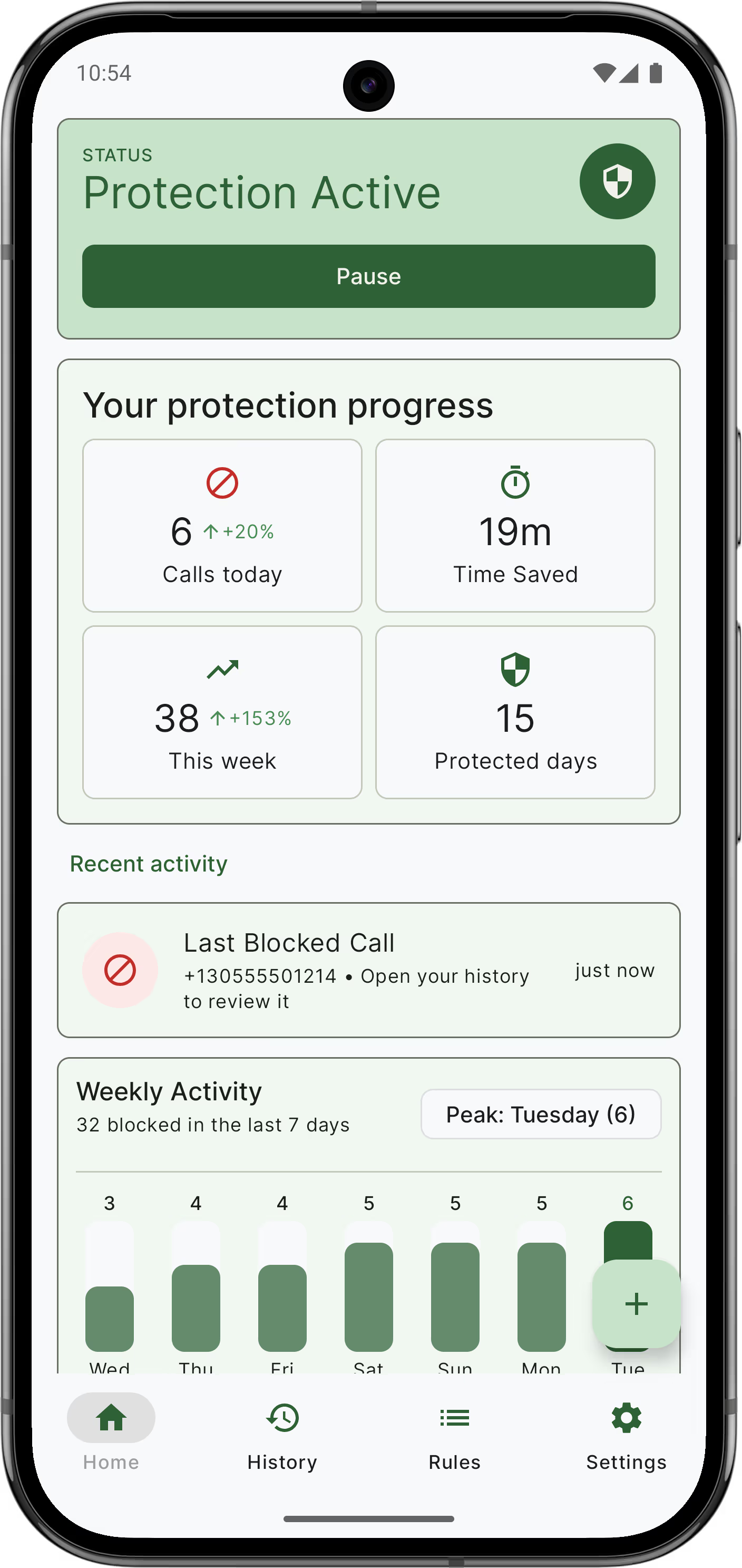
ShieldCall call blocker interface on Android

Privacy by Design

ShieldCall works directly on your device. Your contacts, rules, and call history stay with you.

Total Control

Block unknown callers, hidden numbers, and custom patterns with blacklist, whitelist, and rule-based filters.

Native Performance

Built for Android with a high-performance engine. Instant blocking with zero battery drain.

Flexible Blocking Tools

Allow Trusted Calls

Use your whitelist and contacts so important calls still get through while unwanted calls stay blocked.

Custom Rules

Block by exact number, prefix, suffix, area code, country code, or number pattern.

Scheduled Blocking

Premium feature: turn protection on or off automatically during sleep, work, or focus hours.

Blocked Call History

Review what was blocked, when it happened, and which rule handled each call.

Frequently Asked Questions

No. ShieldCall is strictly 100% on-device. Your contact list and call logs never leave your phone. We have no servers to store your personal information.

You can create rules using exact match, starts with, ends with, contains, area code, or country code to block the types of calls you do not want.

Never. If you grant contact permission, ShieldCall automatically prioritizes your phone book so your friends and family always get through.

Yes. Core blocking features are free. Premium adds advanced tools such as scheduled blocking and expanded controls.

ShieldCall gives you precise control over unknown callers, private numbers, and custom rules, while keeping everything on your device.

Yes. In the Rules tab, you can toggle the option to automatically block all callers with a hidden or private ID.

Blocked calls are rejected silently. You won't hear a ring, but you can always check the "History" tab to see who was blocked and when.

Simply add a rule using the "Country Code" (DDI) option. You can block any specific country from reaching your phone with one tap.